
Lovable Security Scans vs. Publish Blocking
Lovable's automatic security scan and its optional publish block do different jobs. A practical release decision for teams shipping apps with user data.

Cover: AI-generated editorial illustration made with GPT Image, not an incident photograph or product interface.
Lovable runs a security scan when an app is published. That alone does not tell you whether critical findings will block publication in your workspace. Its Security view documentation confirms automatic scanning, while a November 10 vendor article describes publishing controls that can block releases with critical findings; neither establishes your workspace’s active setting or its default. The difference matters when a small team reads “scanned” as “approved.” A public investigation into data returned by some Lovable-built apps gives this release decision urgency, but it does not establish that every Lovable app is exposed or that any particular app remains exposed today.
The November 14 debate was not the first report
On November 14, a Hacker News submission brought Crissy Field’s investigation back into a busy public discussion. The research page itself has no clear publication or revision date. It says an earlier newspaper report appeared on November 2, 2026, and that its own figures are more recent than those in that report. Independent secondary coverage dated November 3 corroborates the earlier news date. Calling this a vulnerability newly discovered on November 14 would replace a known timeline with the timestamp of a popular link.
The researchers identified 159,041 Lovable projects in Common Crawl material spanning December 2025 through September 2026. Of those, 34,545 used Supabase; 24,664 served some database records without login. That last number is a reason to look more closely, not a count of confirmed breaches. Public catalogues and private messages are different things. During subsequent read-only checks, the researchers retrieved records containing email addresses from 10,560 tables across 7,403 of those sites—about 30% of the 24,664, not 30% of all identified projects. They explicitly say the sample is not representative of all Lovable applications and the percentage is not a confirmed leak rate.
The report also describes over 200,000 private messages in one forum and over 1,000 records containing identity-document details at one service. Those are attributed case findings, not a platform-wide count or 1,000 passports. We have not accessed the sites or reproduced the researchers’ observations. Nor does the public material establish how many affected apps have since changed their access controls. The operational question therefore isn’t “what proportion of AI apps are broken?” It is “what, precisely, stops our release if our own access checks find a problem?”
What the scan checks—and what the publish button still does
Lovable’s Security view documentation describes a Quick scan that runs on every publish. The vendor’s November 10 security article describes checks of code and access policies, as well as publishing controls that can block a release if critical findings remain. A scan can help a team find things it might otherwise overlook. It does not establish that the app’s intended permissions are correct.
The consequential distinction is enforcement. The documentation we checked does not establish the default state of a critical-finding publishing block. Nor does the vendor’s statement that controls are available prove they are enabled for your workspace. It would be just as unsound to promise that critical findings always block publication as to claim they never do. Before a release with personal data, check the actual workspace setting and perform a first-party, authorized go/no-go verification. The November 10 article predates the November 14 HN discussion; it is not confirmation that apps mentioned in the investigation were repaired.
Another configuration question is which backend and publishing path your project actually uses. A feature description or review screen seen in one configuration cannot prove the release behavior of another. Record what your own release owner observed: whether blocking is active, what findings it covers, who can approve an exception, and how the next change to that setting will be reviewed. Documentation tells you what controls exist; a release policy decides how your team uses them.
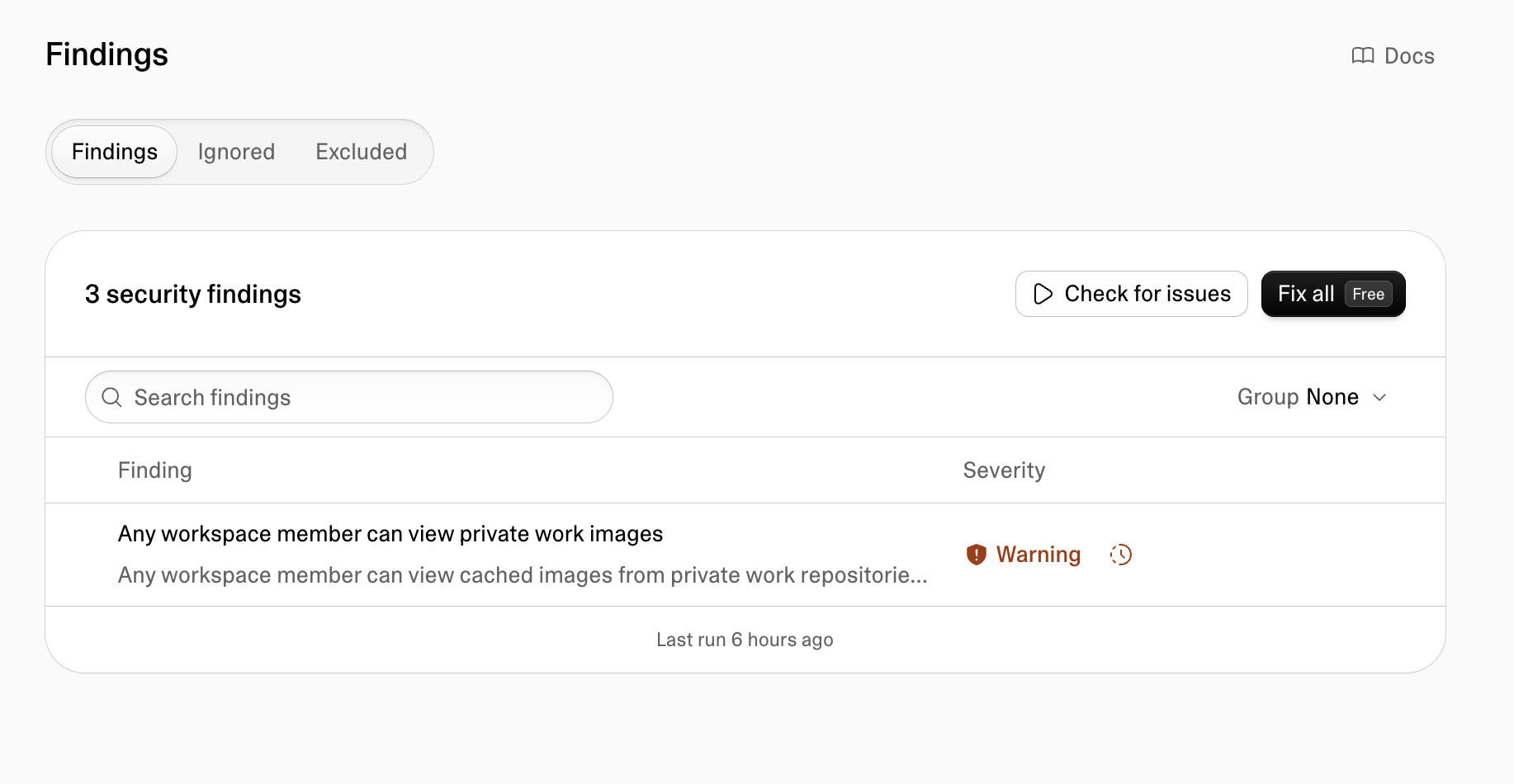
A warning and a veto answer different questions. A scan asks, “What suspicious conditions did the tool detect?” A stop rule asks, “Who may expose customer data when one of those conditions remains unresolved?” The first can run automatically; the second needs an explicit organizational choice. A team can have excellent scanning and still have an unowned critical alert. Conversely, blocking every finding without classification can stall a legitimate launch while leaving a different, unmodeled authorization path untouched. The point is not to worship either the warning or the switch. It is to connect a finding to evidence, an owner and a release decision.
Write the stop rule before the release window
Consider a hypothetical team preparing an appointment app. Customers sign in, view their own bookings and sometimes share one booking with a colleague. Product wants the app live on Friday. The team cannot use “there is a login screen” as its complete security criterion: a logged-in colleague may still see someone else’s booking, and some intentionally public content may be read without an account. This is a product decision expressed in permissions, not just a scanner setting.
Before approving the release, write down the minimum contract. Which data classes are private? Which roles may read or change each class? What evidence demonstrates that a permitted account succeeds and an unpermitted account fails? Who is authorized to resolve a critical finding, and who can make a go/no-go decision after the fix is tested? A two-person team can keep this in a small release note. The format is less important than making the decision inspectable when the next release arrives.
| Finding and evidence in the team’s own environment | Proposed release decision | Accountable person |
|---|---|---|
| Private records visible to an unauthenticated or unrelated test account | Stop. Correct the rule and rerun both allowed and denied cases. | Engineering owner, then release owner |
| Critical authorization finding without a completed investigation | Stop. An unread warning is not an accepted risk. | Release owner |
| Intended public catalogue flagged as broad access, documented and verified as public | Review the classification; an exception needs an explicit reason and reviewer. | Product and engineering owners |
| Fix applied, intended user still has access, other user does not, privileged path reviewed | Consider release if remaining checks and policy pass. | Release owner |
This table is an editorial policy example, not a statement about Lovable defaults or a universal severity mapping. “Consider release” leaves room for other checks. A customer-data authorization failure should not be waived merely because the launch date is close. If the app cannot be tested yet, defer production publication or use a controlled preview with non-sensitive synthetic data; a preview is not a substitute for a release review if real users and real data can reach it.
If the workspace offers the critical-finding publish block, turning it on can enforce the team’s decision even when a deadline is pressing. It should be paired with a named owner for changing that setting and a recorded exception procedure. An exception requires explaining the expected exposure and showing why the alert does not violate that data class’s access promise; an unchecked “false positive” label has no evidentiary weight. When a fix changes permission rules, rerun the intended access cases as well as the denied ones. A technically “safe” app in which every customer is locked out is not a successful release.
A row belongs to someone; a login belongs to a session
The Supabase RLS guide separates a signed-in role from the policies deciding which rows that role can act on. Lovable’s database-access documentation makes the ownership question concrete: a useful policy relates the requester to the owner of the row. “Authenticated” alone says nothing about whether two signed-in customers should see the same booking. This is the engineering connection between the researcher’s reported exposure and the release settings: a scanner can flag risky access, but the intended business relationship still has to be specified and checked.
For an app you own or are expressly authorized to test, create two synthetic accounts with distinguishable synthetic records in staging. Test an allowed read, a denied cross-account read, and the expected behavior before login. Then do the same for writes that would alter ownership or sharing. Do not infer success from a single empty response: an account with no seeded records can produce the same empty result under both a correct policy and a broken app. Compare the observed behavior against the product’s permission matrix rather than against a generic expectation that “everything should return nothing.” These are acceptance checks on your own application, not instructions to probe sites named in a report.
Also review the privileged server path separately. Lovable’s database documentation says row-level policies do not apply to service_role requests. Supabase explains why a server-side privileged context has a different trust boundary. If a job or administrator action acts for a user, the server must establish which user may perform which action on which records. Passing the normal browser checks does not automatically validate that path. Record the rationale and the observed test outcome without copying production customer data into tickets or screenshots.
The scan is useful again after the correction, but it is one layer of confirmation. Recheck the exact allowed and denied scenarios, then rerun the available security scan. If a change creates a new sharing workflow or a background job, revisit the permission matrix. A policy that passed for yesterday’s product may be wrong for tomorrow’s collaboration feature. That is why the release contract must be repeatable rather than a one-off response to a headline.
Make the next publish decision less ambiguous
A commenter identifying themself as Lovable’s head of security attributed the reported problem to insufficient row-level security and described available scans and optional automatic fixes. That is the commenter’s account, not independent confirmation of identity, universal exposure or completed remediation. The official product documentation is the firmer source for how the published controls are described today; neither source gives us a verified fix rate across the applications in the research.
For a team shipping with user data, the practical choice is direct: decide whether critical authorization findings should block release in the workspace, name the people responsible for verifying exceptions, and test real access promises with synthetic data before each material permission change. Do not confuse “scan completed” with “release approved.” The unknown condition worth watching is not the HN score next week; it is whether your own release process can still refuse to publish when an access rule does not match the product’s promise.