
Codex CLI’s Background Server: Why It Starts and What Opting Out Stops
Codex CLI 0.157.0 enabled a shared background server for eligible interactive launches. Trace the CLI, managed daemon and updater lifecycles—and the separate controls for each.
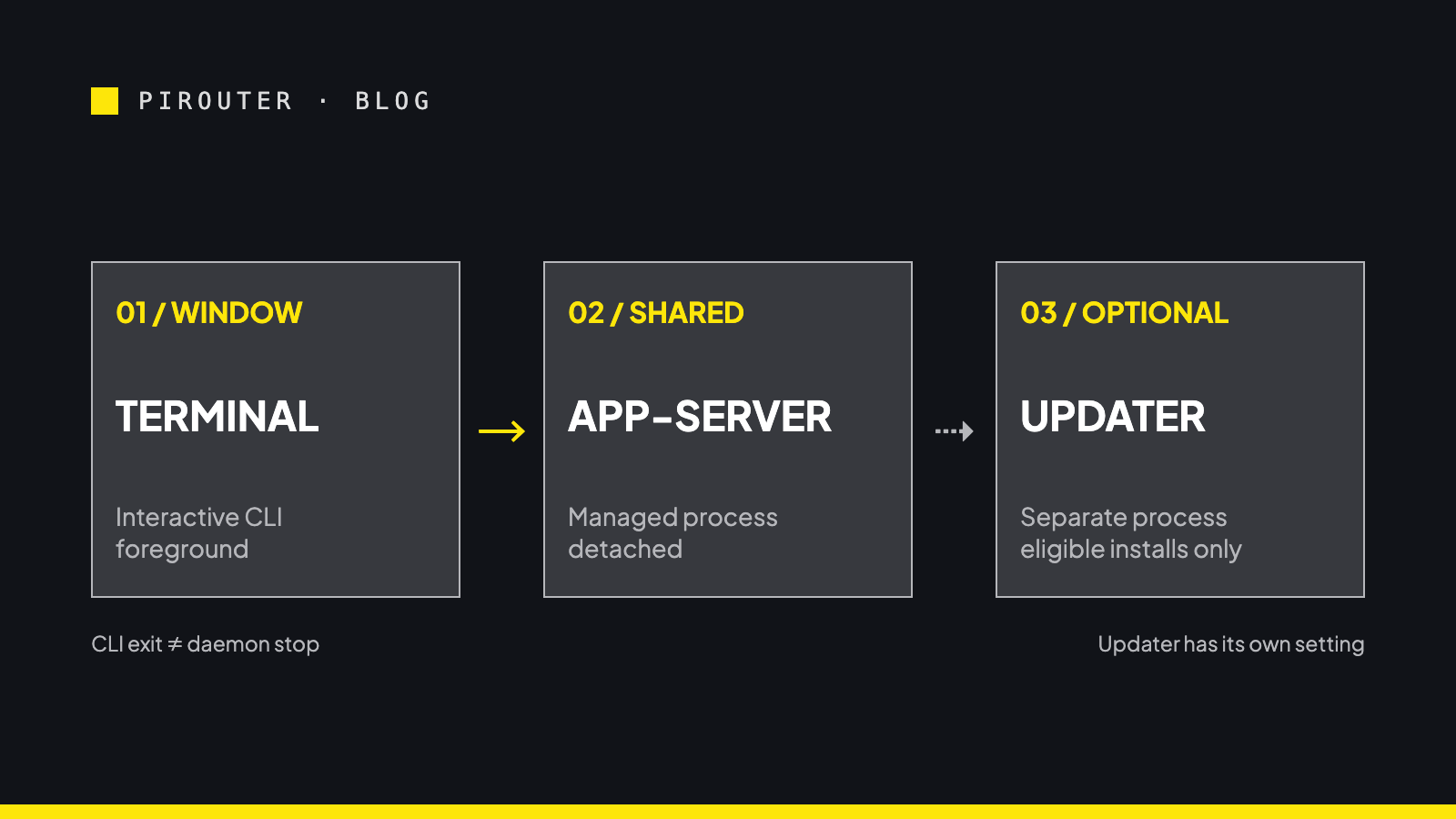
Codex CLI 0.157.0 made background-server startup the default for eligible interactive launches on September 25, 2026; installing the package alone is not the documented trigger. The terminal session, detached managed server and conditional updater have different lifetimes. Opting out of future automatic startup does not by itself stop a server that is already running or disable its updater.
That distinction matters if you installed a CLI expecting its backend to disappear with the window. The 0.157.0 release note announces the default in one sentence; the daemon’s tagged README describes the longer-lived machinery. They are not contradictory. They describe different parts of the same launch.
This changed in September, even if you noticed it in October
The timeline is unusually useful here. PR #47179, “Enable automatic daemon startup by default” was merged on September 22. It promoted daemon_auto_start to a stable feature and enabled it by default for eligible interactive launches. Version 0.157.0 was published on September 25, with its release summary explicitly saying “automatic background-server startup for eligible interactive sessions.” The accompanying release entry also links a separate change for recovery choices when server settings are incompatible.
Later that day, a developer filed issue #48195, asking that auto-start instead be opt-in. The report names CLI 0.157.0 installed through npm on Linux under WSL2. Discussion picked up again on October 12–13. Those comments are a reaction to an existing September default, not evidence that October installation first switched it on. Nor is “I installed the package” equivalent to “the installer started the daemon”: the release language says interactive sessions.
The reporter observed a detached server continuing after the Codex window closed, a copied package of roughly 374 MB in their setup, and an updater process. Those are valuable observations, but the size is not a universal installation footprint. One later commenter on 0.160.0 reported seeing no daemon at all. Neither account establishes what happened on every platform or launch path, and neither commenter should be mistaken for a maintainer speaking official policy.
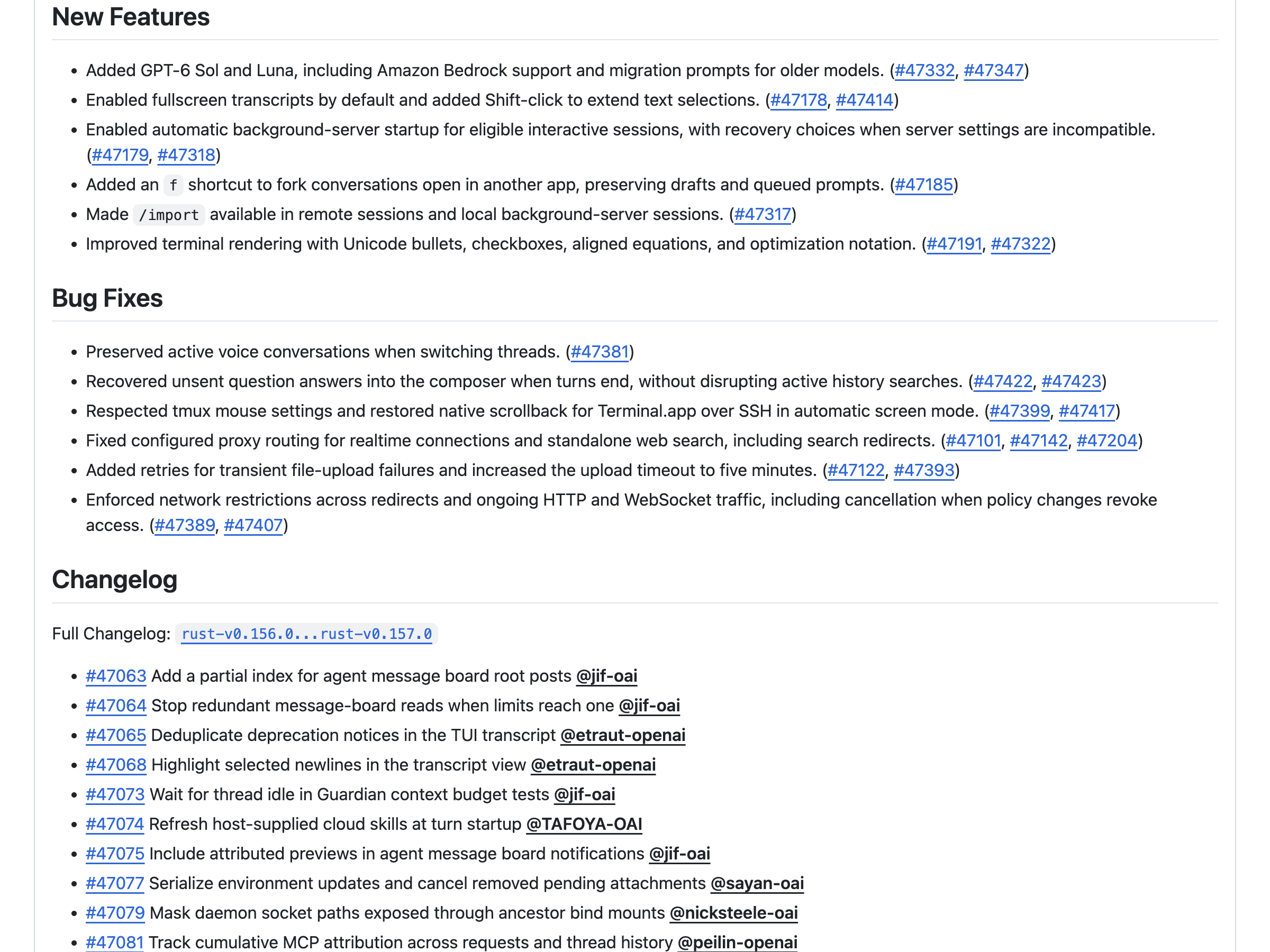
One CLI launch can create three different lifetimes
Consider a developer who launches the CLI through a wrapper that sets HTTPS_PROXY for that invocation. The foreground terminal is one process lifetime. In the 0.157.0 design, an eligible interactive launch can bring up a detached, PID-backed app-server. A later CLI client can use that shared server rather than an embedded one. The tagged daemon README says the server backs machine-readable lifecycle commands for remote clients, including instances launched over SSH. Persistent sharing serves that use case; it is not the same operating model as a server that belongs to one terminal window.
Here, app-server means the shared service; the managed package is the executable it runs, and the updater may replace that executable. The managed daemon has its own executable selection. The README places a new managed package under CODEX_HOME/packages/app-server-daemon/current/bin/codex, notes that lifecycle commands use the selected daemon package independently of the invoking CLI’s version, and says existing managed packages are reused. This explains the operational concern in the issue: the executable you type in your shell and the executable servicing a later turn need not be the same installed artifact. The reported npm copy size is one instance of that separation, not a property promised by the README.
A third lifetime is possible. For eligible managed daemons, the README says an updater checks after five minutes and then hourly by default. It starts only when automatic updates are enabled, the installation selected the stable latest channel, and the managed binary supports the updater command. A pinned release does not automatically update merely because its version happens to match the latest. A running app-server can restart after an update, potentially interrupting active or queued work; a stopped one stays stopped after that update. The updater loop is not reboot-persistent, but a later managed start can bring it back under eligible settings. This is a conditional updater, not proof that every Codex session downloads a second package.
The environment boundary is less visible than the process boundary. The README’s platform section says shared clients use the environment inherited when the daemon started: opening a new terminal or clearing variables there does not clear the running daemon’s environment. It explicitly says per-client environment isolation is not provided. In the wrapper example, changing a later window’s proxy variables does not retroactively change the shared daemon’s environment. The issue reporter describes that exact class of surprise with HTTPS_PROXY. A shell prompt is not a process-environment reset button for another process.
The README also places settings, app-server and updater PID records, and a lifecycle lock under CODEX_HOME/app-server-daemon/. start waits for a JSON-RPC initialization handshake and is idempotent. Those details explain why closing the TUI and shutting down the shared service are deliberately different operations. They do not establish how long every process remained alive in someone else’s machine.
“Eligible” is doing real work in that release note
The tagged TUI startup source lists explicit exclusions. --no-daemon chooses the no-daemon route; --oss, workload identity, CODEX_EXEC_SERVER_URL and --profile can also exclude implicit local-daemon use. Certain unsupported command-line configuration overrides, custom loaders, --strict-config and --dangerously-bypass-hook-trust do so as well. --agents-overview has a special path through some of those checks. This is not a statement that every command runs a background service.
The code’s launch policy distinguishes explicit embedded launches, optional attachment and automatic daemon launches. Optional attachment can fall back to an embedded server when connection or compatibility fails. An automatic launch requires a compatible shared server and successful connection instead. The tagged compatibility check compares selected server features; when fallback is allowed it returns a warning, otherwise it produces a compatibility error with a --no-daemon hint. A developer seeing a CLI startup failure and another seeing embedded operation may therefore both be describing real but different paths.
There is one notable exception to “just use embedded.” In the 0.157.0 CLI entrypoint, the agents overview explicitly requires a shared server, and --no-daemon is rejected for that mode. Similarly, the flag cannot be combined with an explicitly selected --remote endpoint. For ordinary local interactive use, the flag has a documented role; it is not a promise to reproduce shared-server-only features without the server.
On Windows, eligibility has still more physical limits: the README requires a non-elevated terminal whose host permits detached child processes, and implicit attachment can fall back to embedded mode if the canonical socket address exceeds the AF_UNIX limit. The correct conclusion from a missing daemon on one Windows machine is not that the September default never existed.
Four controls, four different boundaries
For the tagged 0.157.0 behavior, treat these as separate decisions, not synonyms. Commands below are documented interfaces, not steps executed for this article.
| Control | Boundary it changes | Boundary it does not prove has changed |
|---|---|---|
codex --no-daemon for a normal interactive invocation | That invocation works without implicit shared-daemon startup or attachment; the tagged source also carries the flag through resume and fork. | It does not retroactively terminate an existing managed server, change saved configuration or guarantee compatibility with shared-server-only modes. |
[features] with daemon_auto_start = false in ~/.codex/config.toml, or CODEX_HOME/config.toml when customized | Persistent preference against automatically starting a new daemon on later eligible interactive launches. See PR #47179 and the official configuration guide. | It does not prevent attachment to an already-running daemon. The tagged startup orchestration handles reuse separately. It neither stops that daemon nor changes the updater preference. |
codex app-server daemon stop | The tagged daemon README specifies a graceful request to the managed app-server, followed by forced termination after the configured grace window if still alive. | It does not change the saved auto-start choice. The README does not promise here that the updater exits at the same instant. The issue reporter observed an updater still present 70 seconds afterward on their setup; do not universalize that observation. |
"updater": {"autoUpdateEnabled": false} in CODEX_HOME/app-server-daemon/settings.json | Separately disables scheduled managed-daemon updates in the tagged README’s documented settings. | It does not substitute for disabling startup or stopping the current app-server. An existing updater may remain until its next settings check; this is not an immediate process-stop command, as shown in the tagged updater loop. The README states it does not affect explicit codex update or daemon update; an explicit daemon update selects the latest stable release even when automatic updates are disabled. |
The distinction is practical. If your requirement is “this terminal session must not join a long-lived shared server,” use --no-daemon for that invocation. Use it on each applicable invocation when that is your continuing requirement: disabling daemon_auto_start prevents new automatic starts, but does not prevent reuse of an existing daemon. Stop an existing managed app-server separately when that is your intention, and check the app-server and updater states separately. If the concern is automatic binary replacement, inspect the updater preference and installation channel. Each choice has a cost: embedded mode forfeits shared state and the agents overview’s shared-server path; disabling scheduled updates means you own update timing.
There is a reason not to copy the issue reporter’s entire cleanup block into an operational guide. Their report includes manually killing an updater and deleting a managed package. That was their workaround after a specific observation, not the lifecycle contract supplied by the tagged documentation. Treating it as a generic fix risks colliding with managed state while obscuring which setting caused the behavior in the first place.
What the later fix does—and does not—settle
Release 0.162.1, published October 9, says it fixed startup failures caused by differences between a running background server’s feature settings and CLI defaults. Its stated change is narrow: compatibility checks now apply only to explicit command-line feature overrides. That addresses one failure mode in the earlier startup path. It does not say the shared server was removed, automatic startup became opt-in, the updater was abolished, or every report in #48195 was fixed.
The real operating question is not whether a background process is inherently suspect. A persistent remote-capable service has a purpose, and a window-scoped local server has a different, equally reasonable purpose. The surprise comes when users think the second contract applies while the first is in force. Check your installed version’s release notes and matching source, decide whether sharing across windows and the environment captured at first start are acceptable, then choose the launch, lifecycle and updater controls independently. That is more reliable than reading one process listing—or one heated comment thread—as a complete specification.